Brief
World · core emotion · message · tone
 REAL APP UI
One brief moves through cast, storyboard, shots and editing into a finished film and webtoon. Publish to Watch, then connect paid episodes, tips and memberships.
Your GPU and API keys cost 0 credits. Top up only for hosted generation.
SHOWCASE
All you need is an idea. Start with a line of story or an image, create characters and scenes, and finish it as a video or vertical webtoon.

Saving a dying stranger binds one woman to the boss of the country's most dangerous syndicate.
Open sample
A creator who engineered outrage for attention begins to drown in the hostility he created.
Open sample
A nurse finds a notebook whose predictions come true—and the next page bears her name.
Open sampleOn a snowy night, the last light of a mountain temple wakes an old promise.
Open sample
A dark regression fantasy completed as a vertical animated film.
Open sample
A ninety-day marriage with a one-billion-won penalty for falling in love unfolds as a webtoon.
Open sample
The same story and locked cast continue as a published vertical webtoon.
Open sample
A long-form webtoon that holds its world and faces across sixty episodes.
Open sample
The webtoon reborn as animation — cuts, dialogue and acting directed in one generative flow.
Open sample
At 2 a.m., a courier is sent to an address that does not exist—and the recipient knows his name.
Open samplePIPELINE
As you scroll, the line fills from planning through storyboard, identity and generation—ending with video and webtoon publishing inside the same project.
World · core emotion · message · tone
REAL APP UIExpanded into rules, places, factions
 REAL APP UI
Visual style — pick from suggestions or the library
 REAL APP UI
LLM screenplay generation
REAL APP UIScene-by-scene dialogue pass
REAL APP UIShot breakdown + emotion & camera meta
 REAL APP UI
Scene storyboard board → auto-split into shots
REAL APP UI S01 · 6 SHOTS
The storyboard board is automatically separated into six production-ready shots.
Style & character sheets locked
 REAL APP UI


Keyframe image generation
REAL APP UI


Image-to-video generation
 REAL APP UI
TTS · BGM · SFX · lip sync
 REAL APP UI
Timeline assembly
REAL APP UIReview the assembled film and vertical webtoon in one project, then publish both straight to the reader.
 REAL APP UIVIDEO
 WEBTOON
APPROVAL GATES
Every Autopilot stage stays visible. It asks for a human decision only where money is spent or direction branches, then carries the approved result into the next stage.

S01 · SHOT COMPARISON
Mobile control
Keep one approval from stalling the night: pair once with the desktop QR, then approve, regenerate or stop from your phone.

Pair once with the desktop QR
Open Mobile Connect in the project and scan the QR. The same approval queue and generation state continue on your phone.
GPU status
VRAM left and jobs waiting in the queue — live.
SYNCED VIEWS
Change order or duration in one view and the others update with it. Planning and the edit never split into competing versions.
Read the scene flow at a glance and reorder shots where the sequence breaks.
Camera, dialogue, duration and generation prompt stay bound to one shot ID.
Approved takes and durations carry straight into the final edit.
VERSION CONTROL
Regeneration never overwrites the previous result. Candidates stack per shot, and the entire project shares the same record of what was approved and where it branched.
Keep seven storyboard results inside the shot, compare them, and choose the final version every downstream stage will use.
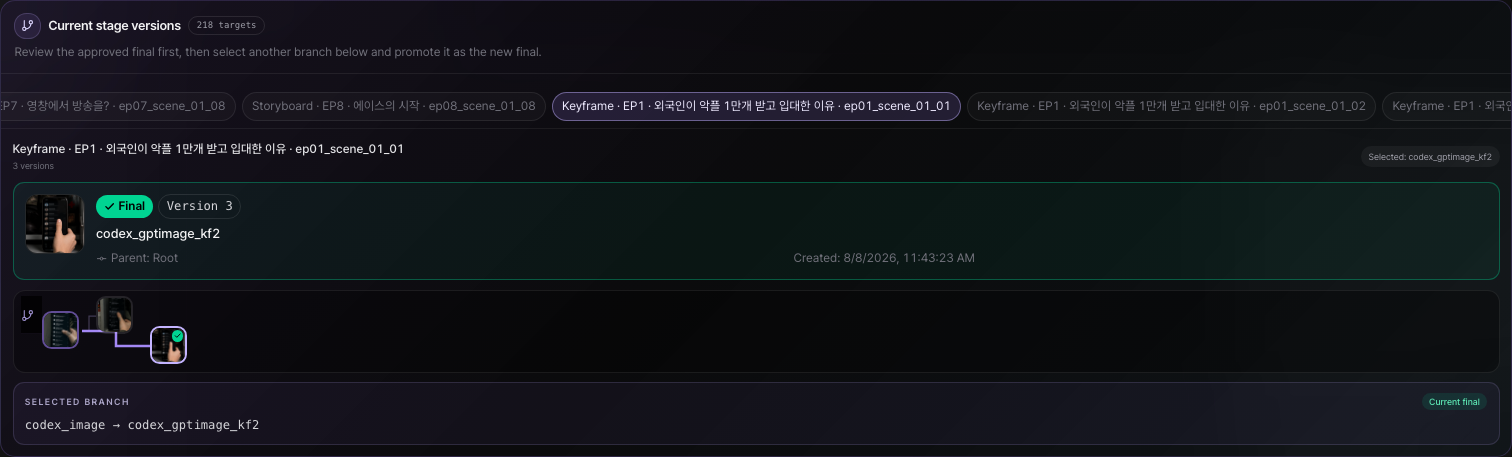
Keep image candidates from different models and prompts with their parent branch, so you always know where a result diverged.
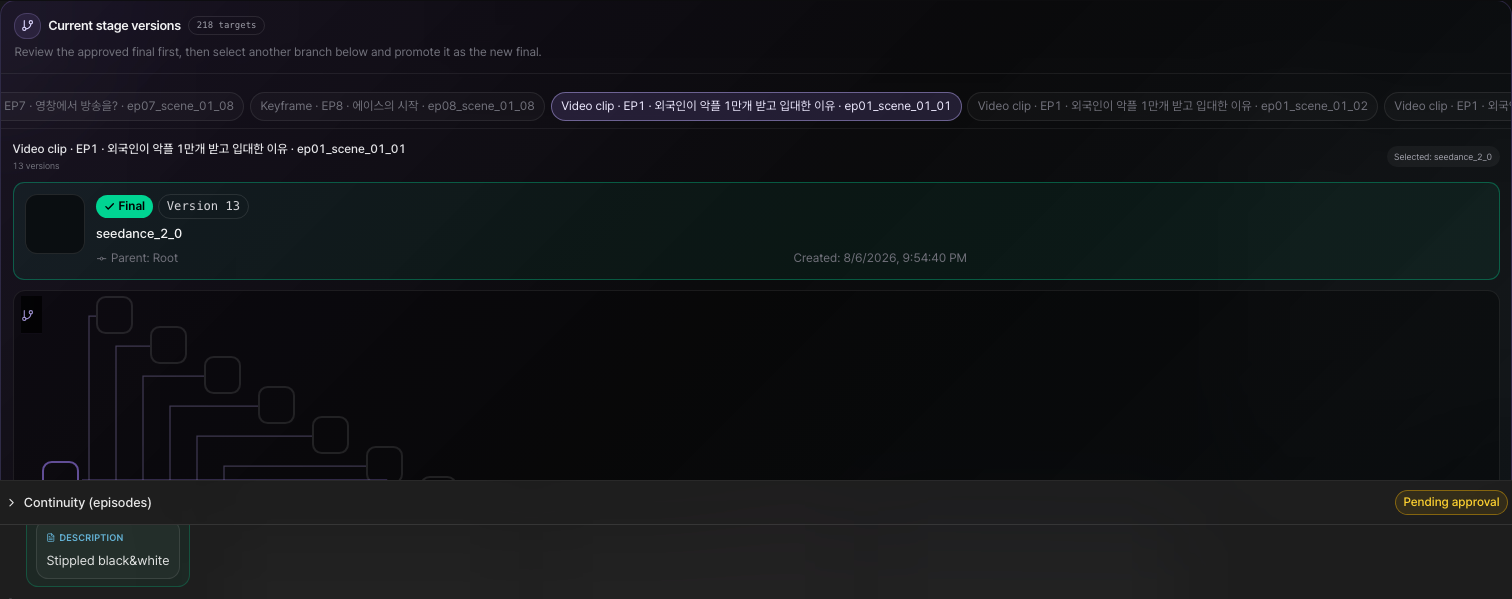
Stack thirteen video takes without replacing earlier clips, play them side by side, and approve one final take.
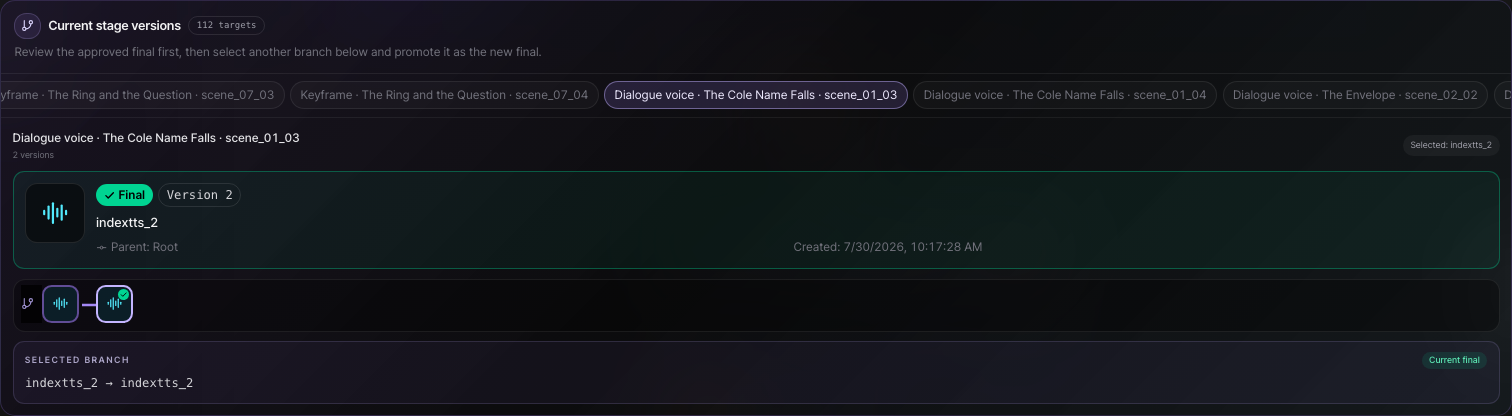
Dialogue performances stay as separate model and acting versions, so you can change only the voice without disturbing the picture.
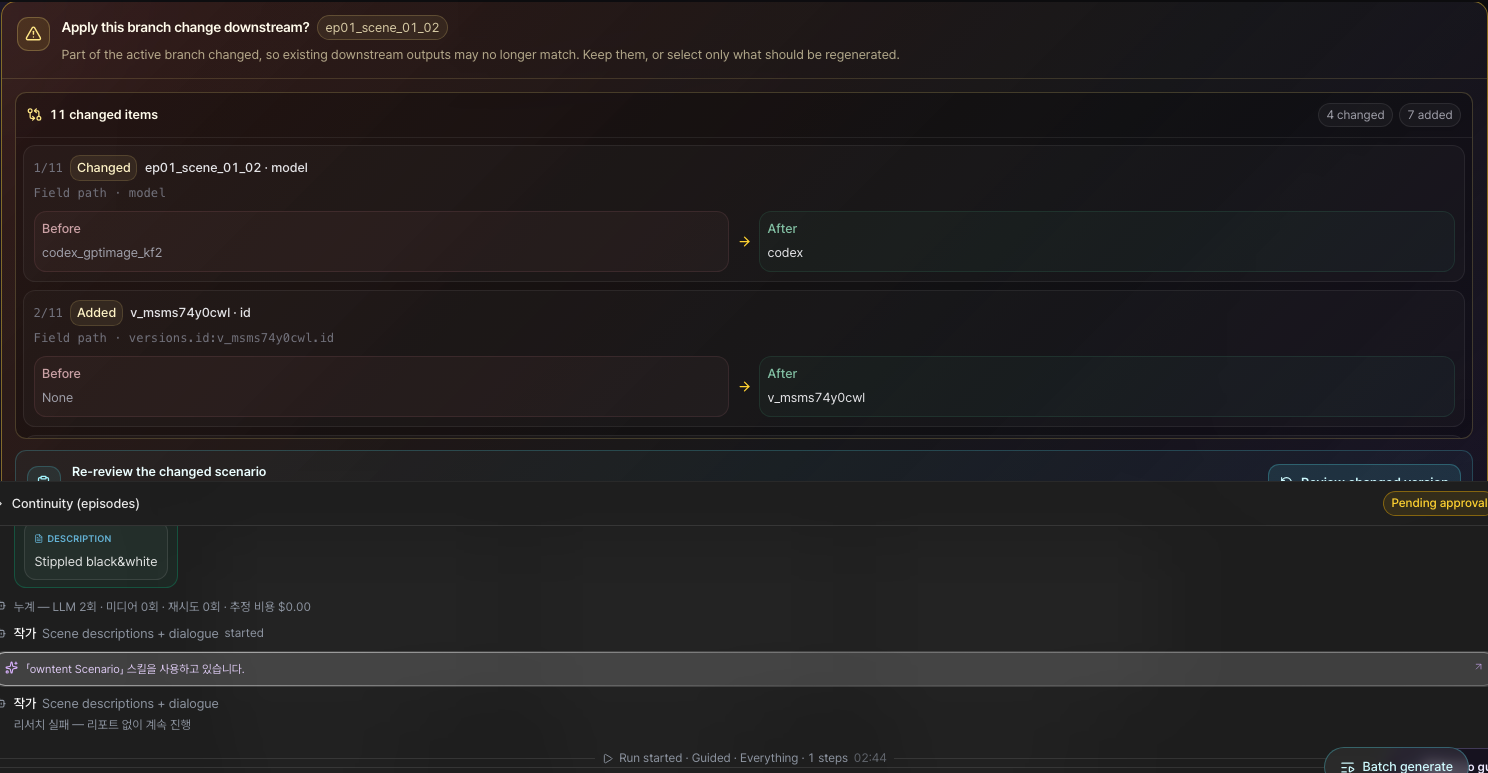
Before switching branches, review every downstream change as Before and After, then confirm the safer cut.
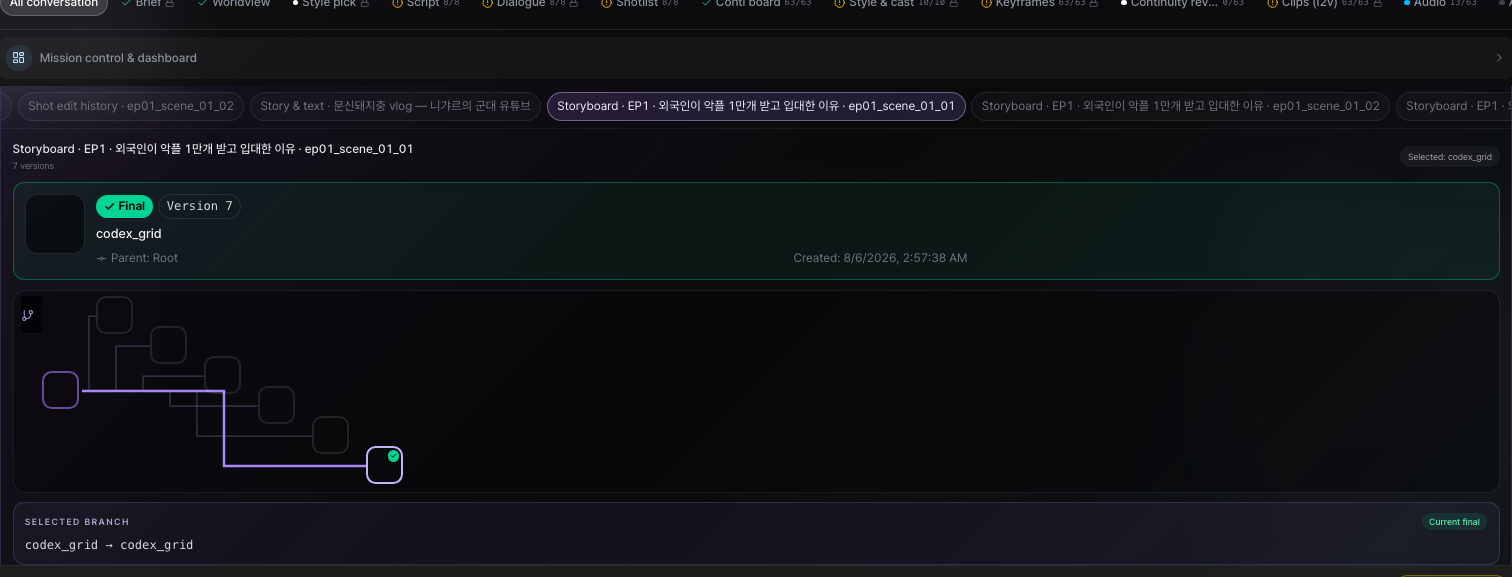
Keep seven storyboard results inside the shot, compare them, and choose the final version every downstream stage will use.
Keep image candidates from different models and prompts with their parent branch, so you always know where a result diverged.
Stack thirteen video takes without replacing earlier clips, play them side by side, and approve one final take.
Dialogue performances stay as separate model and acting versions, so you can change only the voice without disturbing the picture.
Before switching branches, review every downstream change as Before and After, then confirm the safer cut.
WATCH · THE WORK ITSELF PAYS
AI creators today earn from everything except the work — courses, gigs, prompt packs — because clips aren't a product and the payment rail didn't exist. A finished series is a product: set free episodes, a paid unlock point, tips and memberships, and keep 80% when fans pay. Purchases, support and payouts live in the same flow.

Ready for Watch
WORKSPACE
Launch production from a brief, then refine camera, performance, generation direction, and approved footage together across the storyboard, canvas, timeline, and integrated previz. Shape hormone-led emotion and tension curves, and choose the paywall conversion point.
Start an automated production run from a brief
Control dopamine, cortisol, oxytocin, and serotonin curves scene by scene
Choose shots, versions, and emotional flow in the storyboard
Adjust generation relationships and impact on the canvas
Highlight direction and review the approved shot instantly in integrated previz
Refine shots, audio, and the tension curve in the timeline
Design approvals, cost, and the paywall conversion point


Runs the whole pipeline from brief to render, pausing only at approval gates.
Licensed cast & IP
A new AI character has no audience on day one. Creators, performers and story owners already do. Everyone in the Owntent licensing pool has given permission, approves how their work is used, and gets paid every time it sells.
Creators, performers and AI influencers (virtual personas, never real people) lend their face and voice. The two are always labeled apart. They approve the final cut and get a share of every sale.

Real influencer
Nigyar
Build new series on webtoons, games, novels and public-domain classics. Each title shows exactly what you can and cannot use.
 Example
The Reaper's Contract Bride
Owntent original IP
 Example
The 101st Regression
Owntent original IP
 Example
The Wife They Laughed At
Owntent original IP
Pricing
Choose one-time credit top-ups or a monthly or annual Creator Cloud plan. Planning, editing, and project management stay free, and your own keys or GPU use zero credits.
Brief, scenario, storyboard, canvas, timeline, and project management work without credits.
Connect keys you already own or your own hardware, and generation costs are handled in your environment.
Only when you hand it off without hardware or keys do you confirm estimated credits before running, and only successful generations are charged.
SEEDANCE 720P · AUDIO INCLUDED
Limited-time priceThese USD and credit amounts are the promotional per-second retail prices for 720p video with audio, normalized to the same unit as public pay-as-you-go and credit-converted rates.
One-second retail price
$0.14/sec
14 credits / sec
One-second retail price
$0.16/sec
16 credits / sec
Public pay-as-you-go or credit-converted prices for 720p with audio, normalized to one second.
owntent
$0.16/sec
Promotional retail
Company H
$0.319/sec
About 50% less
Company f
$0.473/sec
About 66% less
Company P
$0.315/sec
About 49% less
Based on each company's official public price on August 26, 2026. Subscriptions, unlimited plans, and temporary event benefits are excluded; provider policies and exchange rates may change.
Use the same H3 Max 768P model with Owntent credits or your own fal key. Owntent credits are the default.
| Mode | Displayed rate | Owntent credits | API key | Support |
|---|---|---|---|---|
| Owntent credits | 0 cr/sec | Charged on success only | Not required | T2V + I2V · 5–15 sec · 768P · native audio |
| fal BYOK | $0.00/sec · billed by fal | 0 cr | Your fal key required | T2V + I2V · 5–15 sec · 768P · native audio |
fal's direct rate is $0.00/sec during the 50% promotion. The Owntent credit rate updates automatically if the provider price changes.
Top-ups never renew; subscriptions follow your chosen term — Credits are charged only for successful generations; failed runs are not charged or are fully restored.
See full pricingFAQ
Briefs, scripts, storyboards, canvas, timeline, and project management are free. Connect your own API keys or GPU to generate without owntent credits; credits are needed only when you use hosted generation.

From brief to publish — owntent holds the consistency, the retries, and the model swaps. Start free, then top up credits or subscribe to Creator Cloud when you need it.
